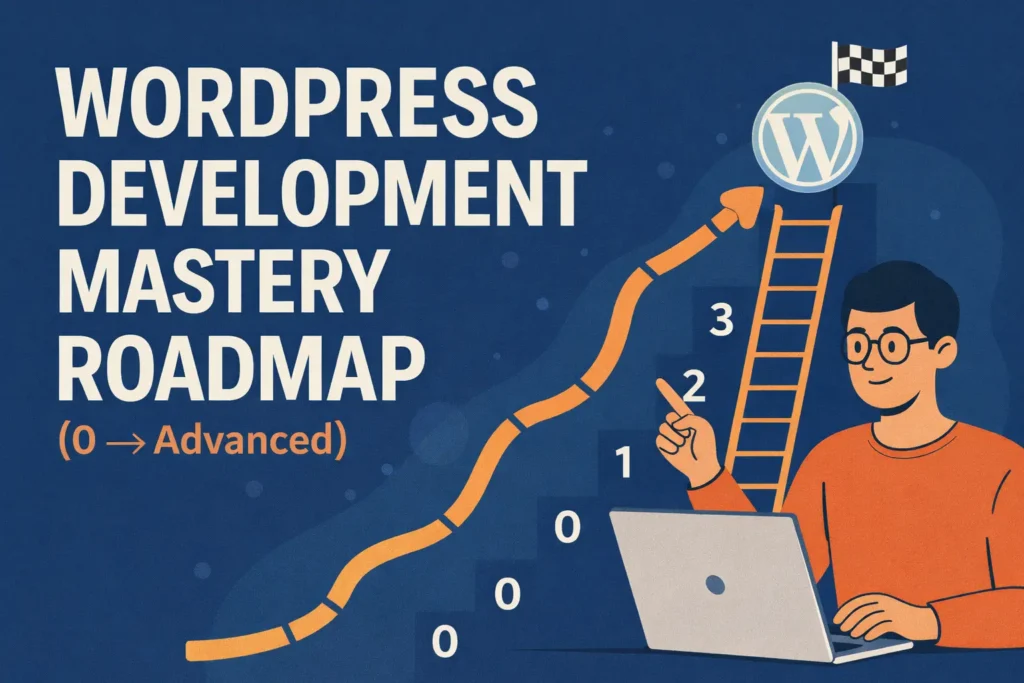
Purpose of this roadmap zero technical background to independent, professional WordPress developer capable of building custom themes, plugins, scalable systems, and monetizable solutions.
WordPress Development Mastery Roadmap PHASE 0: Foundations (Absolute Beginner Layer) Goal: mental models of how the web works so WordPress does not feel like “magic”.
1. Web Basics (Non-Negotiable Core) You must understand what happens behind the scenes when a website loads.
Learn deeply:
How browsers request data from servers
What hosting actually provides (CPU, RAM, storage)
DNS resolution (domain → IP)
Difference between frontend and backend
How databases connect to websites
Key concepts:
HTTP vs HTTPS
SSL certificates and trust
Static vs dynamic websites
Client-side vs server-side rendering
Why this matters:
2. HTML – Structure & Meaning HTML is not about tags—it’s about document structure .
Focus on:
Semantic HTML5 (header, nav, main, article, section)
Forms and inputs
Media handling (images, video, iframe)
Accessibility basics (screen readers, alt text)
SEO-friendly markup
Outcome:
3. CSS – Layout & Responsiveness CSS controls visual hierarchy and usability .
Learn:
Box model deeply (margin vs padding vs border)
Flexbox for layout logic
CSS Grid for complex layouts
Mobile-first responsive design
CSS variables for scalable styling
Basic transitions & animations
Why this matters:
4. JavaScript – Interaction Layer (Basics Only) You are not becoming a JS engineer yet.
Learn:
Variables, functions, conditionals
Events (click, submit, load)
DOM selection & manipulation
Basic ES6 syntax
Outcome of Phase 0: fully responsive static website and debug basic issues.
PHASE 1: WordPress User → Power User Goal: system , not just a dashboard.
1. Introduction to WordPress Understand:
What a CMS actually does
Open-source ecosystem
Core vs themes vs plugins
WordPress.com vs WordPress.org (business implications)
2. Development Environment Setup Learn professional habits early:
Local development tools
Folder structure (wp-admin, wp-includes, wp-content)
How WordPress connects to MySQL
Config files (wp-config.php)
Why this matters:
3. WordPress Admin Mastery Understand content architecture:
Posts vs Pages (use cases)
Categories vs Tags
Media optimization basics
User roles & permissions
Permalinks and SEO impact
4. Theme & Page Builder Usage Learn:
Installing and configuring themes
Limitations of page builders
Gutenberg editor philosophy
When builders are helpful vs harmful
Outcome of Phase 1: deliver complete websites using existing tools while understanding their limits.
PHASE 2: Core Development Foundations Goal: user to developer .
1. PHP for WordPress (Critical Skill) PHP is the engine of WordPress.
Learn:
PHP syntax and execution flow
Variables, arrays, loops, conditionals
Functions and scope
Mixing PHP with HTML safely
Basic security awareness (escaping, sanitization)
Why this matters:
2. Theme Development (From Scratch) Understand how WordPress renders pages:
Theme file structure
style.css & theme headers
functions.php
Template hierarchy (most important concept)
Enqueuing CSS & JS correctly
3. The Loop & Template Tags Learn how WordPress fetches content:
The Loop lifecycle
Common template tags
Conditional logic for layouts
Single vs archive vs page templates
4. Child Themes (Production Practice) Learn:
Safe customization methods
Overriding templates
Custom logic without breaking updates
Outcome of Phase 2: build custom themes instead of modifying random files.
PHASE 3: Advanced WordPress Development Goal: dynamic, data-driven, reusable systems .
1. Custom Post Types & Taxonomies Learn:
Why CPTs exist
Structuring content for scalability
Real-world examples (properties, courses, jobs)
2. Custom Fields & Metadata Deep dive into:
WordPress Meta API
Field-based content modeling
Advanced Custom Fields usage
Rendering dynamic layouts
3. Plugin Development (Professional Level) Learn:
Plugin architecture
Hooks system (actions & filters)
Shortcodes
Admin UI creation
Security best practices
This is where true WordPress developers are separated from theme customizers.
4. Database & Query Optimization Learn:
WordPress database schema
WP_Query deeply
Meta queries & tax queries
When and how to use custom SQL
Outcome of Phase 3: custom solutions , not just websites.
PHASE 4: Performance, Security & Scalability Goal: production-ready WordPress systems.
1. Performance Optimization Understand:
Core Web Vitals
Asset loading strategy
Caching layers
Image optimization
CDN fundamentals
2. Security Best Practices Learn:
WordPress hardening
Secure authentication
Role-based access control
Backup & recovery planning
3. Hosting & Deployment Learn:
Shared vs VPS vs managed hosting
Staging environments
Versioned deployments
Ongoing maintenance workflows
Outcome of Phase 4: real client and high-traffic websites confidently.
PHASE 5: Modern & Headless WordPress Goal:
1. REST API & Headless Architecture Learn:
WordPress as a backend
REST API endpoints
JSON data handling
Frontend frameworks integration
2. Gutenberg Block Development Understand:
Block-based future of WordPress
Custom block creation
Reusable block systems
3. WooCommerce Development Learn:
WooCommerce architecture
Custom product types
Checkout customization
Performance & scaling stores
Outcome of Phase 5: modern, scalable, and enterprise-ready solutions .
RELATED SKILLS THAT MULTIPLY YOUR VALUE These skills separate high-earning developers from average ones .
Design & UX
UI/UX principles
Figma workflows
Design systems
SEO & Content
Technical SEO
Schema & performance SEO
Content structure
Git & Dev Workflow
Version control
Team collaboration
Safe deployments
Business & Freelancing
Requirement analysis
Pricing models
Retainers & maintenance
AI & Automation
AI-assisted development
Workflow automation
Productivity systems
FINAL MASTERY LEVEL At this level, you:
Architect custom WordPress systems
Build themes & plugins as products
Optimize performance & security deeply
Scale as a freelancer, consultant, agency, or SaaS builder
Reader: 125